A Minecraft launcher from Ukraine

Your portal into Minecraft

Mods and shaders install themselves, builds from TLauncher or Prism move over in a minute, and if the game crashes, teth finds out why and fixes it. All that’s left is to play.

Free for Windows macOS Linux

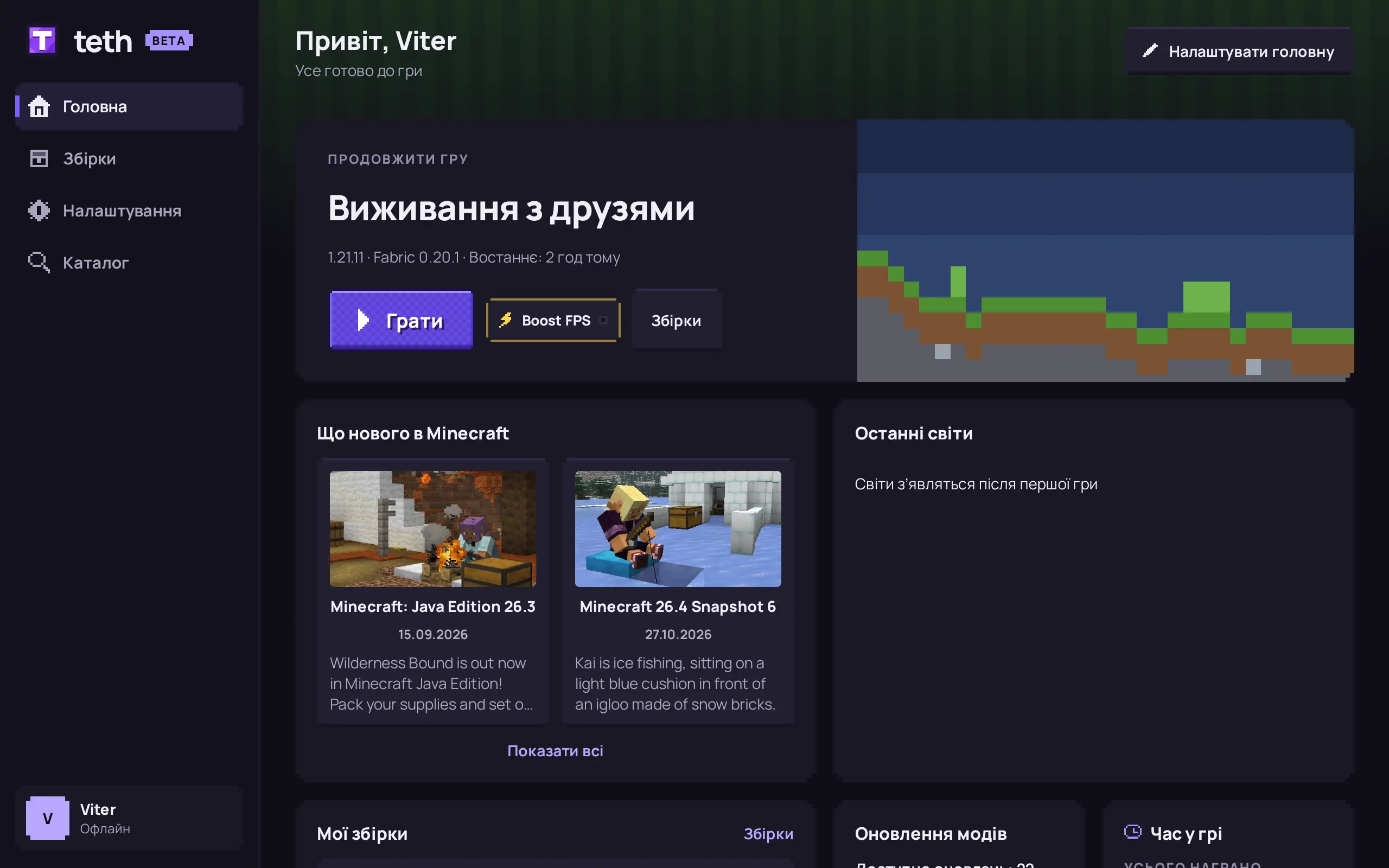
teth home screen: continue playing the “Survival with friends” build, Minecraft news and builds

Mods

Mods and shaders in one click

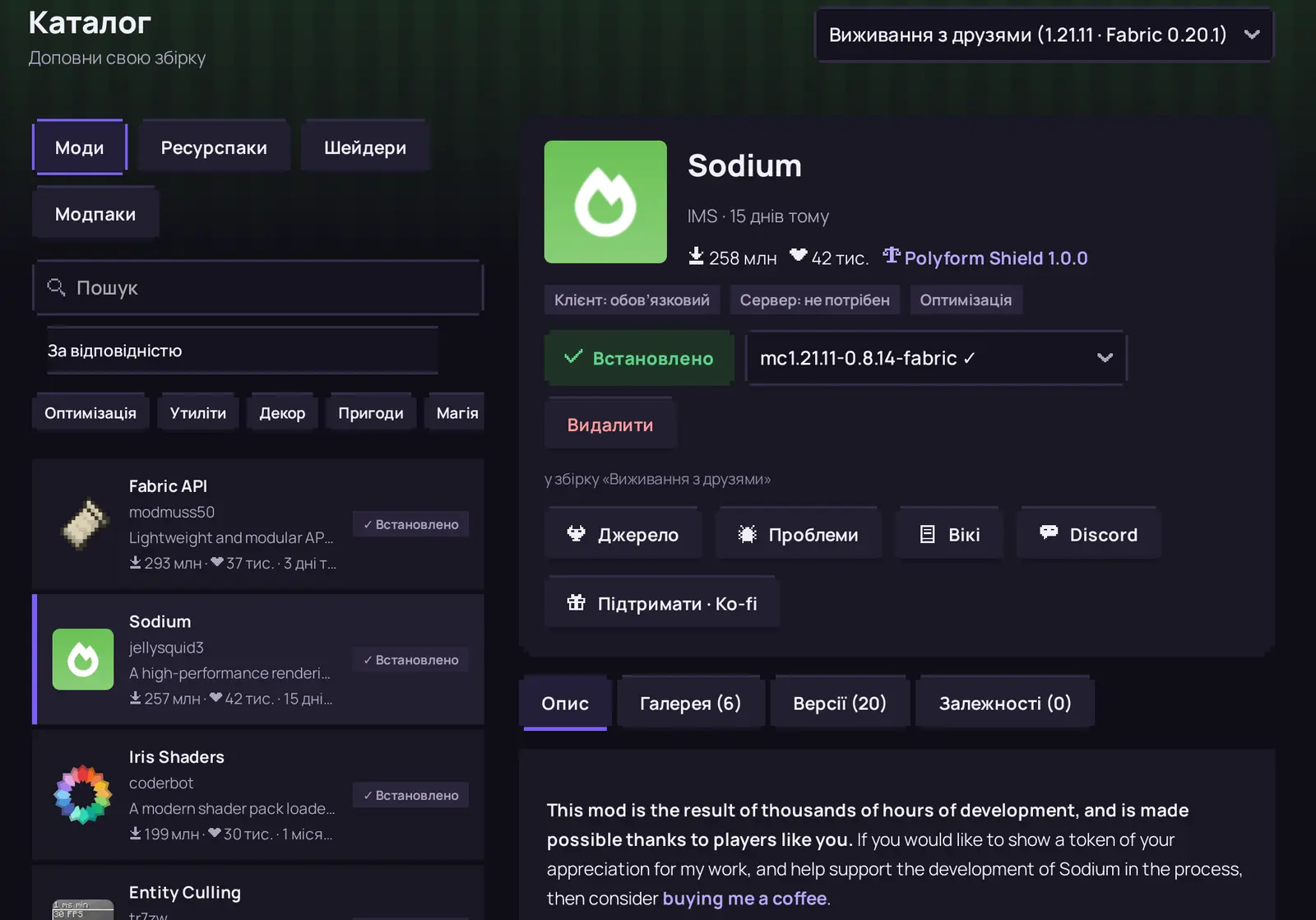
Browse thousands of mods, shaders and resource packs from Modrinth right in the launcher. teth picks the right version for your build and pulls in everything a mod needs to run.

  • Description, screenshots and versions on one page
  • Update every mod with one button
teth mod catalog: the Sodium page with description, gallery and versions

Builds

Every build is its own world

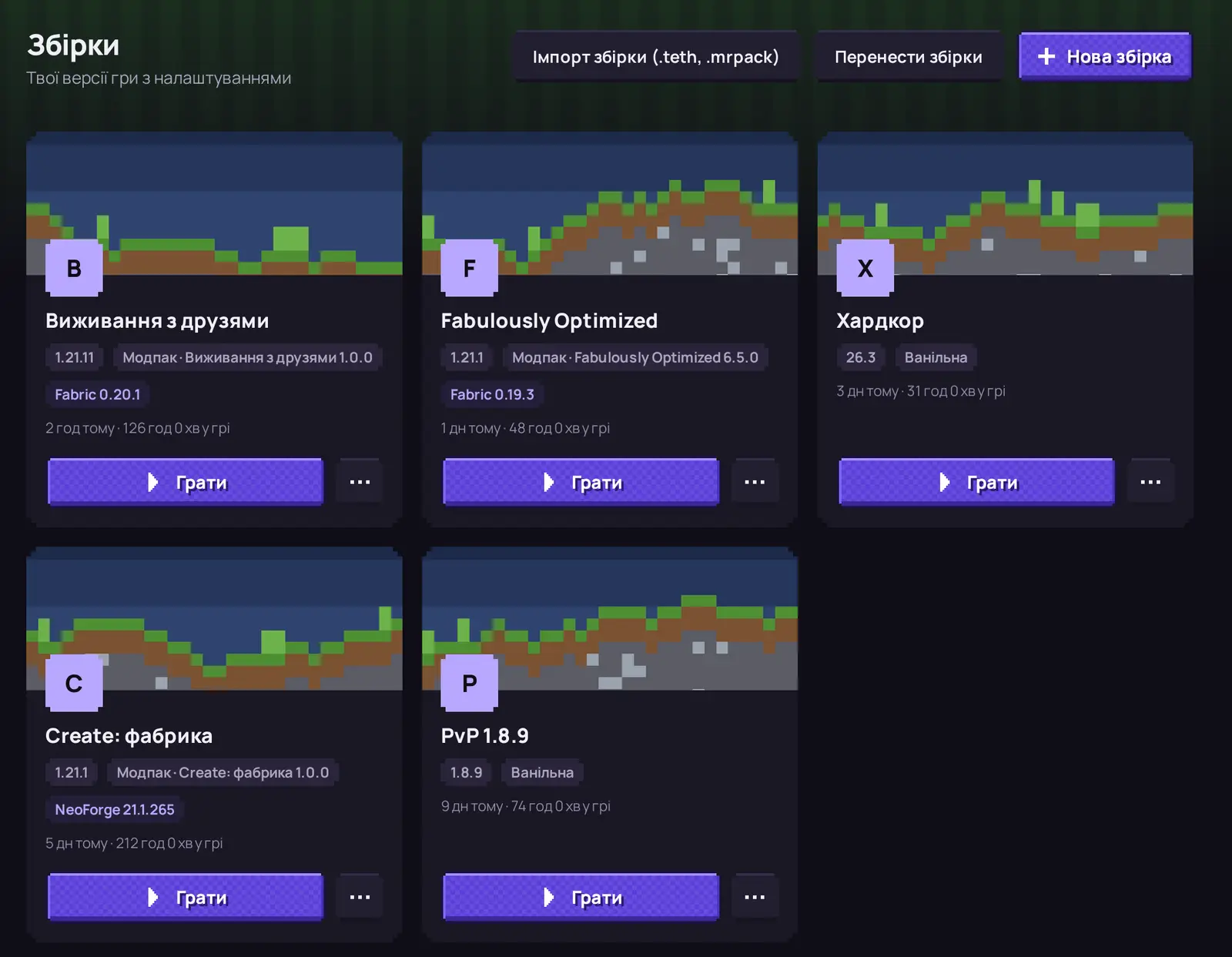
Survival with friends, 1.8.9 PvP and a huge modpack live side by side without getting in each other’s way. Each has its own mods, version and memory.

  • Fabric Quilt Forge NeoForge
  • From 1.7.10 to the latest snapshots
Builds in teth: survival, modpacks, hardcore and 1.8.9 PvP as cards

Repair

Game crashed? Hit “Repair”

Instead of a wall of errors you get a plain explanation. teth re-downloads broken files, swaps incompatible mods for working versions and gets your game running again.

  • Fixes the mod instead of just disabling it
  • Explains it in plain words

Boost FPS

More frames with one switch

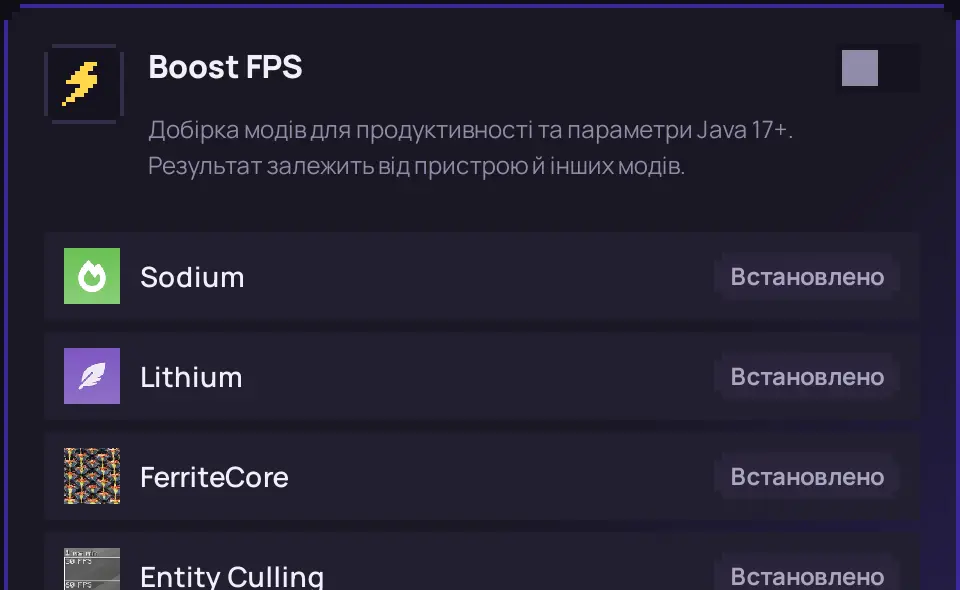
Turn on Boost FPS and teth installs proven performance mods for your exact game version. Smoother gameplay, even on an old laptop.

  • Sodium Lithium FerriteCore and more
  • Turns off just as easily
Boost FPS card in build settings: Sodium, Lithium, FerriteCore, Entity Culling

Move in

Switch from any launcher

Builds, mods, worlds and settings move over in a few clicks. teth finds them on your computer for you.

TLauncherPrism LauncherCurseForgeModrinth AppMultiMCATLauncherGDLauncherX Minecraft LauncherSKlauncherMillidaOfficial launcher

Modpacks

Ready-made modpacks and your own

Install modpacks from Modrinth, or make your own and share it with friends as a single .teth file — mods, settings and server list included.

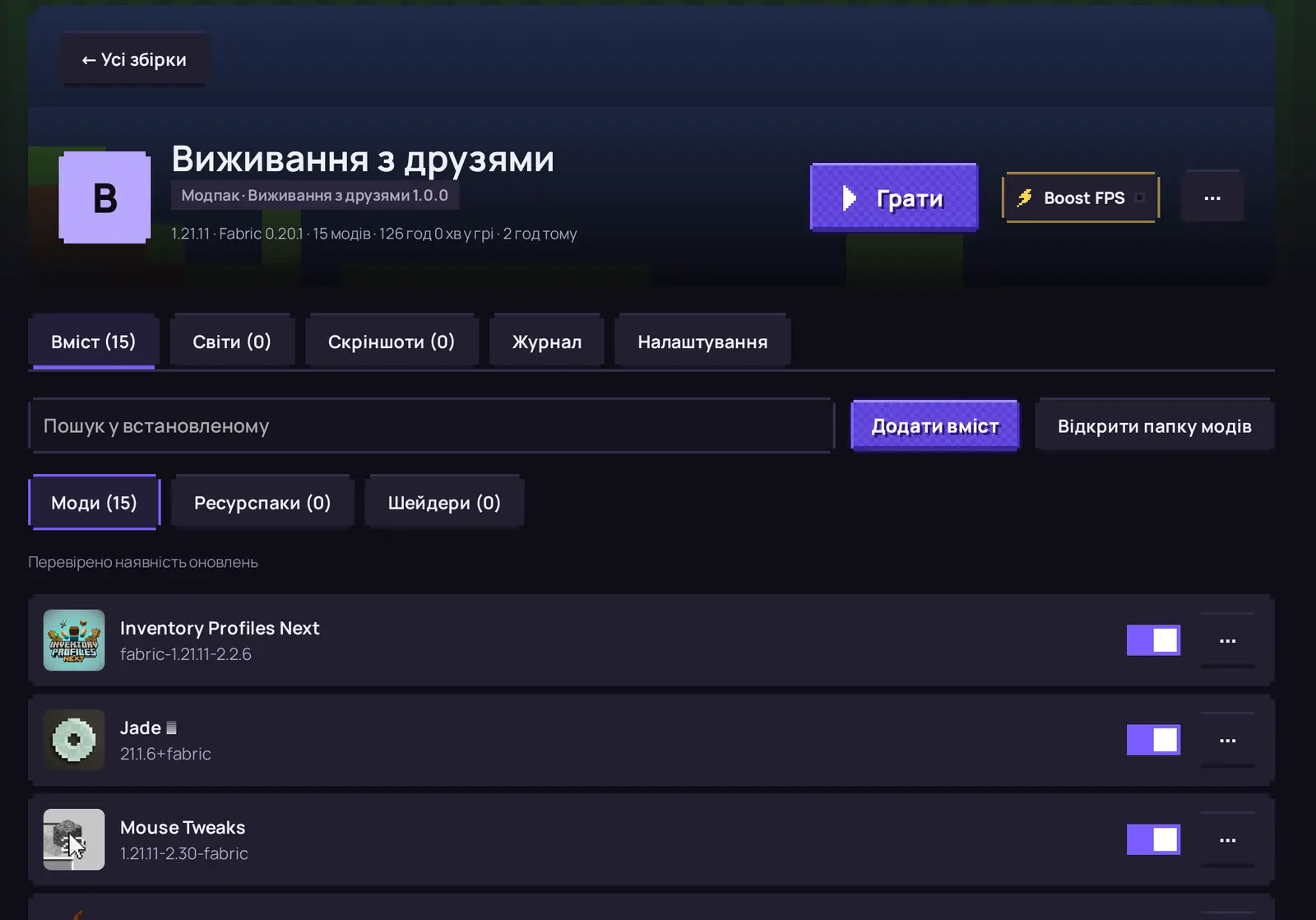
The “Survival with friends” build page: mods, worlds, screenshots and settings

Yours

Make the launcher yours

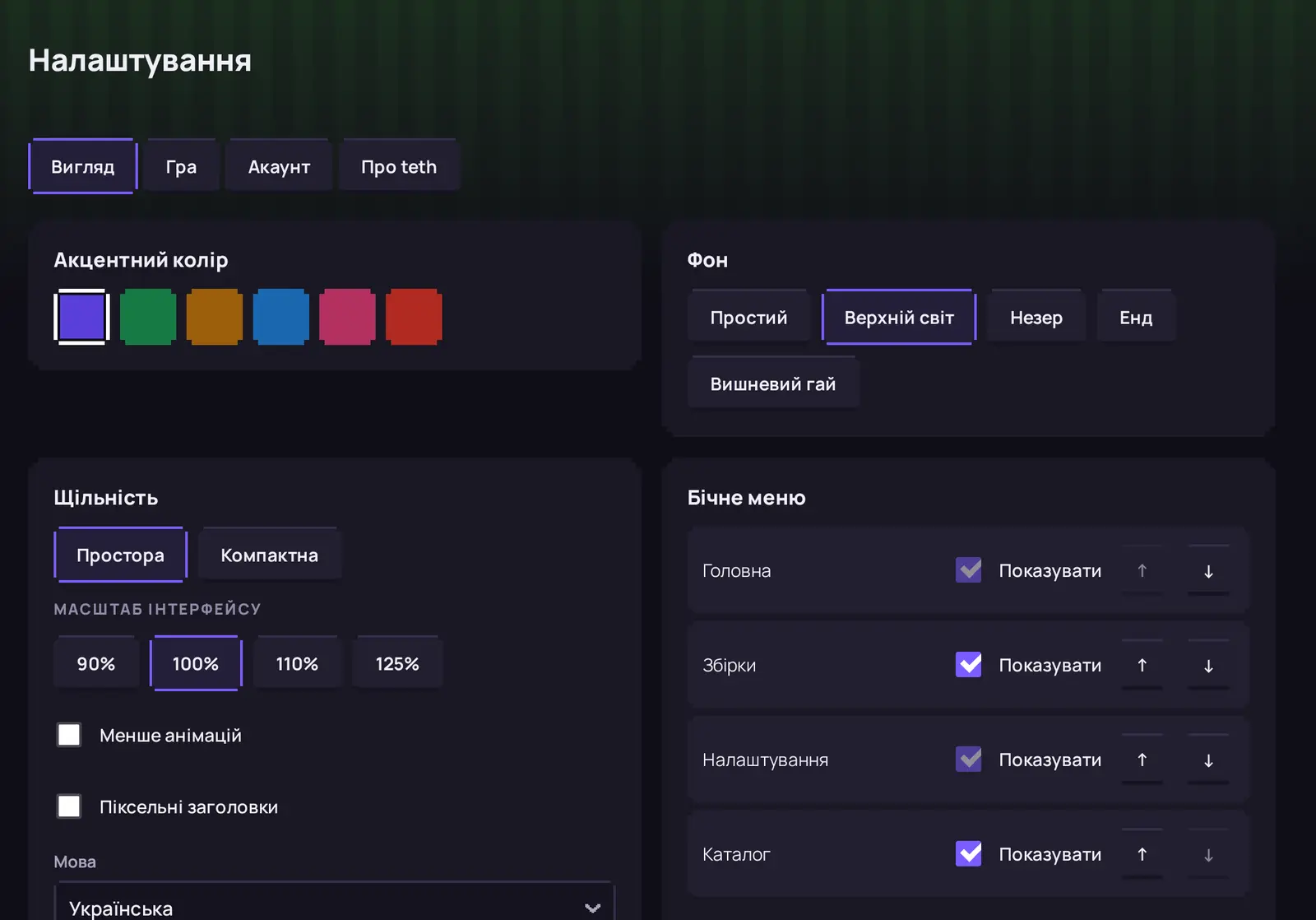
Six accent colours, Overworld, Nether or End backgrounds, home widgets and a menu with only what you need.

teth appearance settings: colours, background, density and sidebar items

Coming next

What’s coming soon

Honest and safe

The beta is close

We’re polishing teth before the first public test. Drop us a line and you’ll be among the first to try it.

Sign up for the beta

FAQ

How much does teth cost?

Nothing. teth is free with no ads — now and later.

When can I download it?

Soon. Beta testers get it first — write to [email protected] to join them.

Do I need to install Java?

No. teth downloads the right Java for each game version.

Will my TLauncher builds move over?

Yes. teth finds builds from TLauncher, Prism, CurseForge, MultiMC and other launchers and moves them with your worlds and settings.

Is signing in with Microsoft safe?

Yes. You sign in on Microsoft’s page and your sign-in keys stay in your system’s secure storage. We never see them.

Which Minecraft versions are supported?

Every Java Edition version, from the oldest to fresh snapshots, with Fabric, Quilt, Forge and NeoForge.